public 3d-motion repository
apple-clone
// vishalparmarr/apple-clone
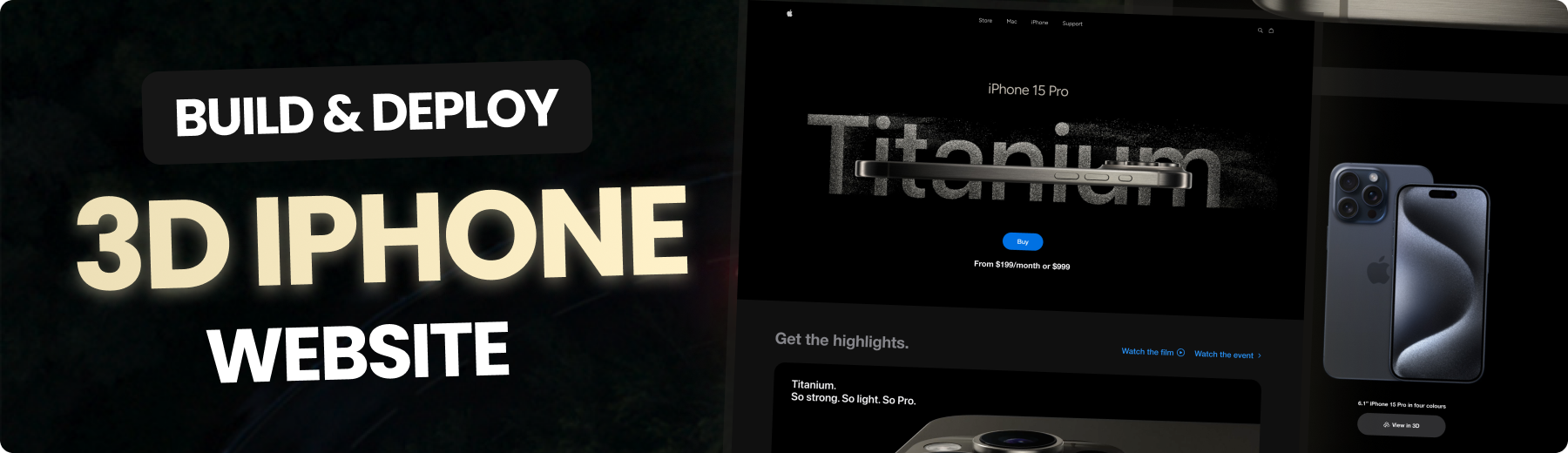
Recreate the Apple iPhone 15 Pro website, combining GSAP animations and Three.js 3D effects. From custom animations to animated 3D models.
</a>




🚨 Tutorial
This repository contains the code corresponding to an in-depth tutorial available on YouTube channel, JavaScript Mastery.
If you prefer visual learning, this is the perfect resource for you. Follow tutorial to learn how to build projects like these step-by-step in a beginner-friendly manner!
🤖 Introduction
This is a clone of Apple's iPhone 15 Pro website using React.js and TailwindCSS. It highlights the effective use of GSAP (Greensock Animations) and Three.js for displaying iPhone 15 Pro models in various colors and shapes.
⚙️ Tech Stack
- React.js
- Three.js
- React Three Fiber
- React Three Drei
- GSAP (Greensock)
- Vite
- Tailwind CSS
🔋 Features
👉 Beautiful Subtle Smooth Animations using GSAP: Enhanced user experience with seamless and captivating animations powered by GSAP.
👉 3D Model Rendering with Different Colors and Sizes: Explore the iPhone 15 Pro from every angle with dynamic 3D rendering, offering various color and size options.
👉 Custom Video Carousel (made with GSAP): Engage users with a unique and interactive video carousel developed using GSAP for a personalized browsing experience.
👉 Completely Responsive: Consistent access and optimal viewing on any device with a fully responsive design that adapts to different screen sizes.
and many more, including code architecture and reusability
🤸 Quick Start
Follow these steps to set up the project locally on your machine.
Prerequisites
Make sure you have the following installed on your machine:
Cloning the Repository
git clone https://github.com/vishalparmarr/apple-clone.git
cd apple-clone
Installation
Install the project dependencies using npm:
npm install
Running the Project
npm run dev
Open http://localhost:5173 in your browser to view the project.
Thankyou Adrian Hajdin and JS Mastery for providing the tutorial..