public 3d-motion repository
PolygonPlayground
// QC20/PolygonPlayground
An interactive 3D physics playground where polygons come to life, blending design and technology in a captivating simulation.
PolygonPlayground
An interactive 3D physics playground in the browser. A wireframe cube is full of shapes, and gravity points at the bottom of your screen, so turning the cube sends everything tumbling. Grab shapes and fling them, shake the lot, or switch gravity off entirely.
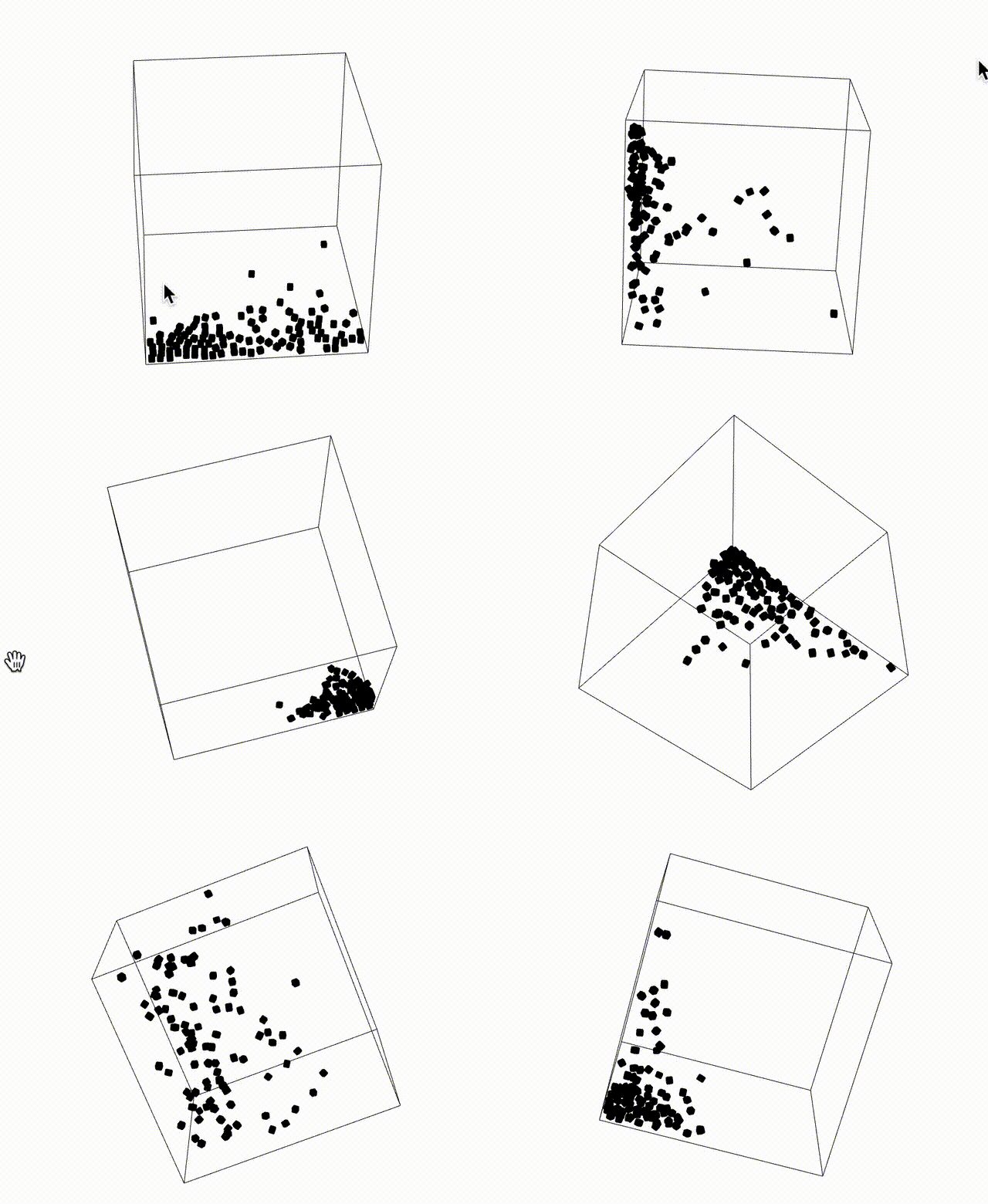
Built with three.js for rendering and cannon-es for physics, bundled with Vite.
Run it
You need Node.js 18 or newer (20+ recommended).
npm install
npm run dev        # starts a local server and opens the playground in your browser
To make a standalone copy:
npm run build # writes dist/index.html
dist/index.html is a single self-contained file with all code and styles inlined. Double-click it to open it in Chrome (no server needed), or upload it anywhere.
Opening the source
index.htmlat the top of the repo directly won't work: browsers block the JavaScript modules it loads fromfile://. The page tells you this and what to do instead.
Controls
| Mouse & touch | |
|---|---|
| Drag the background | Turn the cube |
| Drag a shape | Grab it; let go to fling |
| Scroll · pinch | Zoom |
| Double-click · double-tap | Shake everything |
| Keyboard | |
|---|---|
| Space | Shake |
| ← → ↑ ↓ | Turn the cube |
| + − | Zoom |
| P | Pause |
| A | Auto-spin on/off |
| G | Gravity: screen → floor → zero-G |
| R | Reset view |
| S | Settings |
| F | Fullscreen |
| ? | Help |
The settings panel lets you change the shapes (cubes, spheres or a mix), how many there are, their size and size variety, gravity strength, bounciness, friction, spin speed and theme: Ink (the original black-on-white), Night, Prism (shaded colours) or Auto (follows your system's light/dark mode). Settings are remembered between visits.
Project layout
index.html            page markup, toolbar, panels, startup fallback message
src/
  main.js             entry point: checks WebGL, starts the scene and UI
  playground.js       scene, physics, camera, grabbing and shaking
  ui.js               toolbar, settings panel, help, keyboard shortcuts
  settings.js         defaults, slider ranges, saving settings
  themes.js           colour themes
  styles.css          interface styles
vite.config.js        build config (single-file output)
.github/workflows/    GitHub Pages deployment
To change what a first-time visitor sees, edit DEFAULTS in src/settings.js. Colours live in src/themes.js.
Deploying to GitHub Pages
Every push to main builds the site and publishes it with GitHub Actions (.github/workflows/deploy.yml). One-time setup: in the repository, go to Settings → Pages and set Source to GitHub Actions.
License
MIT. See LICENSE.
[INFO] 5 topics link to curated motion topic pages.