public 3d-motion repository
creative_coding-xmb_wave_background
// fchavonet/creative_coding-xmb_wave_background
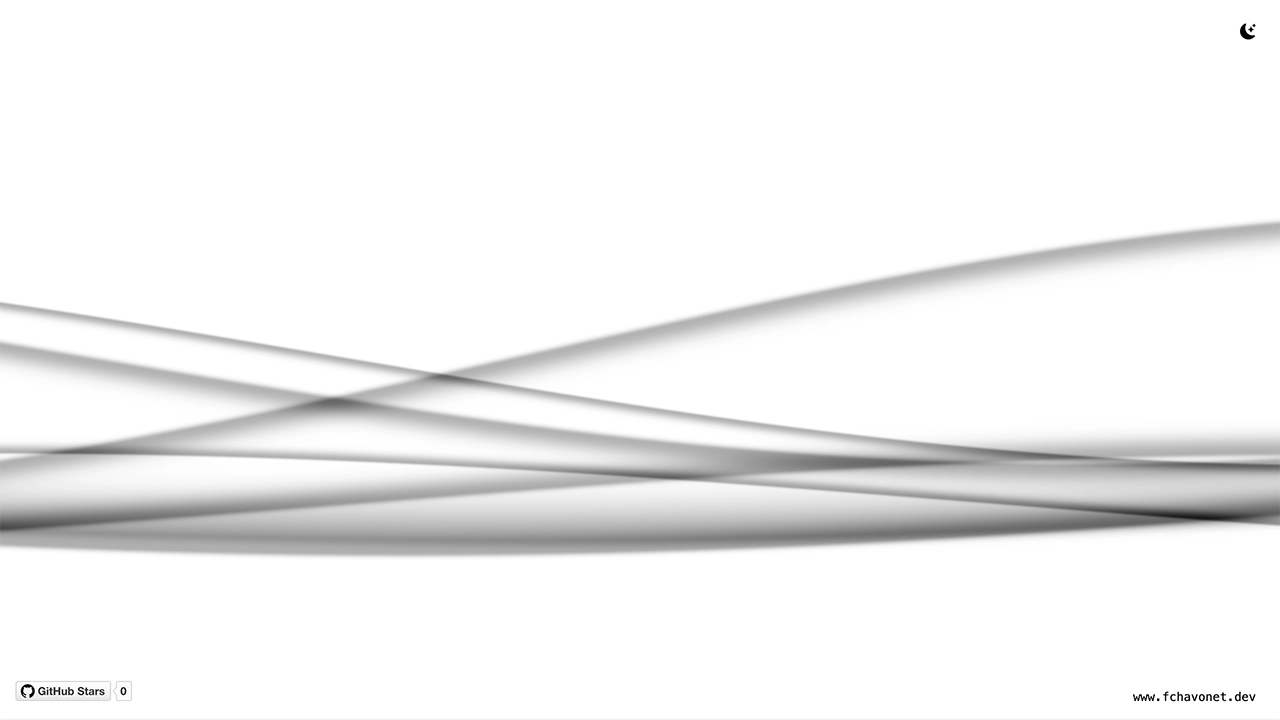
This project recreates the iconic XMB wave animation from the PlayStation Portable (PSP) menu interface, entirely using HTML, CSS, JavaScript, and WebGL.
XMB Wave Background
Description
This project recreates the iconic XMB wave animation from the PlayStation Portable (PSP) menu interface, entirely using HTML, CSS, JavaScript, and WebGL.
It started as a personal challenge: I had never used WebGL before, but I was determined to bring this nostalgic visual effect to life in the browser. After exploring several shaders and digging into examples and experiments shared online, I gradually crafted a clean and responsive implementation that blends seamlessly into both light and dark themes.
The wave reacts dynamically depending on the color scheme of the user’s system, creating a soft, immersive background. This project is not only a tribute to the PSP, but also a hands-on study of how fragment shaders and WebGL contexts can be embedded in a modern web page.
Objectives
- Discover and understand the basics of WebGL.
- Learn how to write and integrate a GLSL shader in a real project.
- Build a standalone animated wave background using fragment shaders.
- Dynamically adapt visuals to system color schemes (light/dark).
- Make it easy to reuse or integrate into other personal projects.
Tech Stack




File Description
| FILE | DESCRIPTION |
|---|---|
assets | Contains the resources required for the repository. |
index.html | Main HTML structure for the project. |
style.css | Styles and animations for the project. |
script.js | Behavior script for interactivity. |
README.md | The README file you are currently reading 😉. |
Installation & Usage
Installation
- Clone this repository:
- Open your preferred Terminal.
- Navigate to the directory where you want to clone the repository.
- Run the following command:
git clone https://github.com/fchavonet/creative_coding-xmb_wave_background.git
- Open the cloned repository.
Usage
- Open the
index.htmlfile in your web browser.
You can also test the project online by clicking here.
</picture>
What's Next?
- Implement performance tuning (for lower-end devices).
- Create a customizable version (color, speed, wave height).
Thanks
- Huge thanks to developers and artists who share GLSL demos and shader snippets online, especially those from Shadertoy. Your work was a great source of learning and inspiration.
- Shout-out to the PSP modding and retro-tech communities, this project is a little homage.
Author(s)
Fabien CHAVONET
- GitHub: @fchavonet
[INFO] 2 topics link to curated motion topic pages.